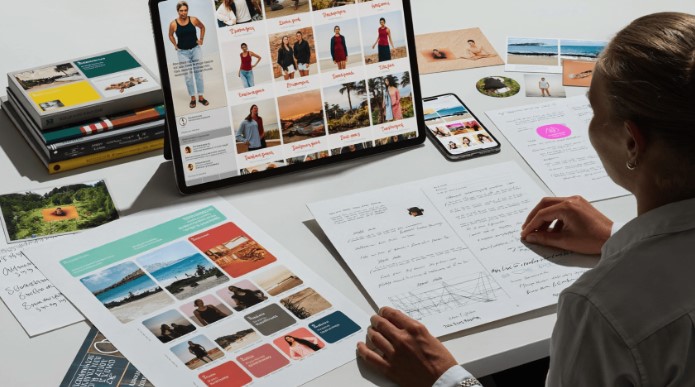
Your Instagram bio gets about a second of attention. Before anyone reads a word of it, they see your profile photo, your highlight covers and the first row of your grid. If those visuals look random, the bio has to work twice as hard. If they look like they belong together, the bio feels like part of a clear identity.
Most people write the bio first and treat the visuals as an afterthought. That is backwards. A short line of text is easier to remember when it is paired with a consistent look, and you do not need a designer to get there. A tool like Nano Banana can generate profile images, cover graphics and post designs from plain descriptions, including text placed inside the image. Higgsfield AI is a native AI creative suite, which offers advanced AI image, video, and voice generation, editing, and upscaling tools. This guide shows how to plan a visual identity around your bio, how to prompt for it, and how to keep the result consistent.
Why Should Your Visuals Match Your Bio?
A bio says who you are in a few words. Visuals show it. When both say the same thing, a visitor understands your account almost instantly and is more likely to follow.
Think about the common mismatches. A bio that promises calm, minimal skincare tips sits above a grid of loud, cluttered images. A bio for a playful gaming account uses a stiff corporate headshot. A travel account shows five different colour palettes in the first nine posts. None of these are fatal, but each one makes the account feel less trustworthy.
A consistent look also helps people recognise your posts in a busy feed. Colours, fonts and layout become a signature, which is especially useful when someone sees your post before they see your name.
What Is Nano Banana, and What Does It Offer?
Nano Banana is the name of an image model family available through Higgsfield. According to the live product page, it comes in three versions, and each suits a slightly different job.
Nano Banana 2. This version is described as generating at native 2K resolution and refining toward 4K, with output sizes ranging from 512px to 4K. It is the version to look at when you want sharp visuals for a profile or a hero post.
Nano Banana Pro. Pro is described as native 2K upscaled to 4K. It is positioned for more detailed work, and it is the version tied to the Pro Inpaint feature.
Nano Banana 2 Lite. A lighter option for quick drafts and experiments, when you want to try ideas fast before settling on a direction.
Across the family, a few features matter for social media visuals.
Typography. Nano Banana is described as handling text inside images, which matters for highlight covers, quote posts and announcement graphics. Always check the spelling of generated text before you post, since any image tool can slip.
Multiple characters and objects. The page lists support for up to 5 characters and 14 objects in a single image, so you can build a scene with several elements without everything blurring together.
Banana Placement. This feature is described as helping you place elements in an image where you want them, which is useful for layouts with a clear spot for a title or logo.
Pro Inpaint. Inpainting lets you fix one area of an image without redoing the whole thing. If a photo is nearly right but one detail is off, you can change just that part.
Multi reference. You can supply reference images to guide the result, which helps when you want a new graphic to match an existing one.
Credits are used to generate images. The product page does not describe a free tier, so check Higgsfield’s site for current plan details before you plan a posting schedule around it.
How Do You Plan a Visual Identity Around Your Bio?
Before you generate anything, make a few decisions on paper. Ten minutes of planning saves hours of random experiments.
- Write your bio in one sentence. Who is it for, and what will they get? Everything else comes from that sentence.
- Pick three words that describe the feeling. For example: warm, bold, playful. Or calm, clean, modern.
- Choose a colour palette. Two main colours and one accent are enough. Write them down as names or codes so you can reuse them.
- Choose a text style. Decide whether your graphics will use big headlines, small captions or no text at all.
- Pick a subject. Is your profile photo a face, a logo, an object or an illustration? Decide before you generate.
With those five answers, every image you create has a brief to follow, and your account starts to look like one thing instead of many.
How Do You Create a Profile Picture That Works?
A profile picture is tiny, so clarity matters more than detail. Instagram shows it in a small circle, which means the subject has to be centred and simple.
Keep one subject. A single face, object or symbol reads better than a crowded scene.
Leave room around the subject. The circle crop cuts the corners. Ask for the subject to sit in the middle with space around it.
Use a plain or soft background. Busy backgrounds turn to noise at small sizes.
Match your palette. Mention your two main colours in the description.
A sample description: “A friendly cartoon style portrait of a person with short dark hair, centred, soft pastel yellow background, clean flat shapes, bright and welcoming.”
If you want a stylised version of yourself, use your own photo as a reference and only your own. Do not use someone else’s face without their permission.
How Do You Design Highlight Covers That Look Like a Set?
Highlights sit right under your bio, so they carry a lot of weight. A set of covers that look related instantly makes a profile feel finished.
Pick one visual idea. Simple icons on a flat colour work well. Examples include a camera for behind the scenes, a suitcase for travel, a plate for recipes.
Use the same style for every cover. Same background colour, same line thickness, same level of detail.
Keep text minimal. One short word or none at all.
Generate them in a batch. Write one base description, then change only the subject for each cover. That keeps the set consistent.
For example: “A simple white line icon of a camera on a solid warm orange background, flat design, centred, lots of empty space.” Then swap “camera” for “suitcase”, “plate” and so on.
How Do You Make Post Graphics With Text?
Quote posts, tips, announcements and carousels all depend on readable text. Nano Banana’s typography support makes it practical to ask for text directly in the image, though you should treat the result as a draft.
Keep the words short. A headline of five to eight words reads well on a phone.
Put the exact text in quotes. For example: a poster with the headline “Three tips for better lighting”.
Ask for strong contrast. Dark text on a light background, or the reverse.
Check every letter. Zoom in and read the text before you post. If a word is wrong, regenerate or fix it in a design app.
Leave space. Ask for clear room around the text so it does not crowd the edges.
For a carousel, generate each slide with the same palette and layout description, changing only the headline. Consistency matters more than variety.
How Do You Keep Everything Consistent Over Time?
A visual identity only works if you keep using it. A few habits make this easier.
Save a style note. Keep a short text file with your palette, style words and a base description. Paste it into every prompt.
Use reference images. With multi reference, you can show Nano Banana an existing graphic from your feed so the next one matches.
Fix, don’t redo. When a graphic is nearly right, use inpainting to change one detail instead of starting over. That keeps the parts you liked.
Review your grid every month. Look at the first nine posts as a group. If something stands out for the wrong reason, adjust your next few posts to balance it.
How Do You Move From Static Visuals to Video?
Static images are only part of an Instagram profile. Reels reach people who do not follow you yet, and a Reel that matches your grid keeps the look consistent.
Higgsfield’s image tools connect to video generation, so a graphic you like can become the starting point for a short clip. If you plan to use audio from other platforms in your clips, make sure you understand the rules first, a topic covered in this site’s guide to TikTok audio in MP3 format. Use only sounds you are allowed to use in your account type.
What Mistakes Should You Avoid?
Changing style every week. A new look each post is the opposite of an identity.
Too much text. If it needs more than a glance to read, cut it.
Ignoring the crop. Profile pictures are circles and grid posts are cropped. Check both before you post.
Trusting generated text. Always proofread. A typo in a highlight cover is hard to unsee.
Skipping accessibility. Add alt text to your posts and keep contrast high so more people can read your graphics.
Using faces without permission. Only use your own likeness or people who have agreed.
What Are the Limits to Keep in Mind?
An image tool helps with the look of your account, not the strategy. A beautiful grid will not fix a bio that is unclear or posts that offer nothing useful. Results vary between attempts, and some images will need a few tries.
The Nano Banana page describes credits but does not state prices, so confirm current details on the Higgsfield site. Instagram’s own rules on AI content and labelling change from time to time, so check the current guidance in the app.
Is It Worth Using Nano Banana for Instagram Visuals?
If you are a creator, small business or personal brand without a designer, it can get you to a consistent look quickly. Start small: one profile picture, three highlight covers and three post graphics, all from the same style note. Post them together, see how the profile feels, and adjust. If the account looks more like one clear idea than before, you have what you need.
Frequently Asked Questions
Can I put text inside the images? Yes. The product page describes typography support. Check the spelling of any generated text before posting.
What resolutions are available? The page describes Nano Banana 2 as native 2K refined toward 4K, with sizes from 512px to 4K, and Pro as native 2K upscaled to 4K.
How many characters and objects can one image include? The page lists up to 5 characters and 14 objects.
Can I fix one part of an image? Yes. Pro Inpaint is designed for editing one area without redoing the whole image.
Is there a free plan? The page describes a credit system and does not state a free tier. Check the Higgsfield site for current plans.
Can I use someone else’s photo as a reference? Only with their permission. Use your own photos or illustrations you have the right to use.